
The Marketplace Dashboard shows your product marketplace activity and earnings in one place.
To get there: hover over My Account, then find Marketplace Dashboard under Tools.
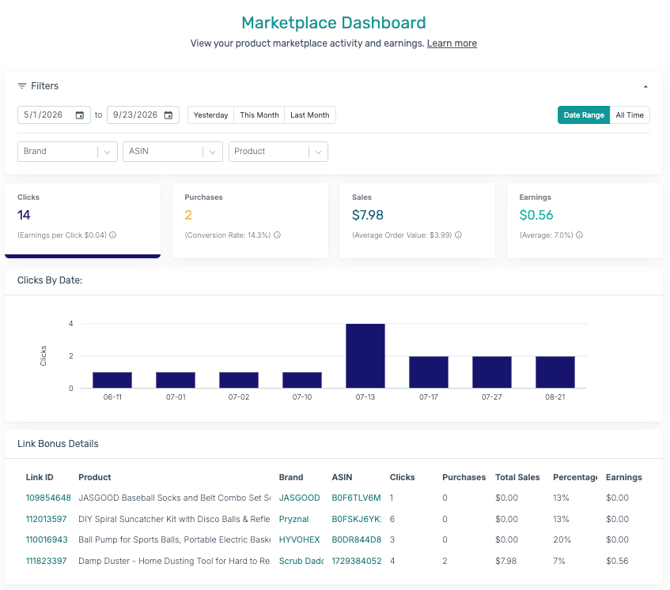
Filters
At the top of the page, you can narrow down what you're viewing:
- Date Range — set a custom start and end date, or use the quick buttons: Yesterday, This Month, or Last Month.
- Date Range / All Time toggle — switch between your selected date range and your account's all-time totals.
- Brand, ASIN, Product — filter results down to a specific brand, product ID, or product.
Key metrics
Four summary cards show your top-level performance:
- Clicks — total clicks, with Earnings per Click shown alongside it.
- Purchases — total purchases, with Conversion Rate shown alongside it.
- Sales — total sales revenue, with Average Order Value shown alongside it.
- Earnings — your total earnings, with an average percentage shown alongside it.
Clicks by Date
A chart showing your click activity over the selected date range, so you can spot trends day to day.
Link Bonus Details
This section shows details on any bonus earnings tied to your links, when applicable. If there's no bonus activity in your selected date range, this section will show no data.