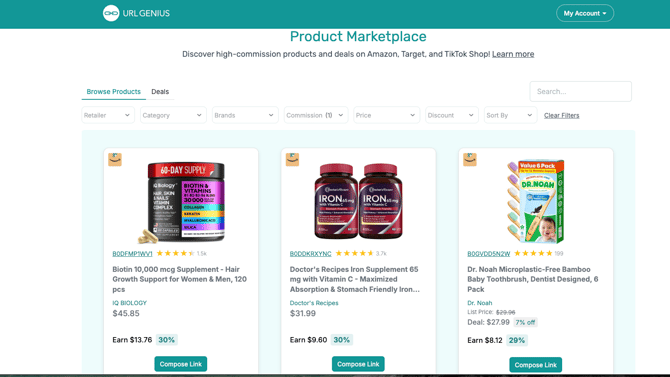
The Product Marketplace is where you discover products and deals you can link to, and see the commission you'd earn on each one. Here's how to find it and use it.
To get there: hover over My Account in the top right, then select Marketplace from the dropdown menu.
Browse Products vs. Deals
Two tabs at the top control what you're browsing:
- Browse Products — the full catalog of available products across retailers.
- Deals — products currently on a discount, showing the original list price, the deal price, and the percent off.
Filtering and searching
A row of filters and a search bar help you narrow down the catalog:
- Retailer — filter by Amazon, TikTok, Target, or Walmart.
- Category — filter by product category (Appliances, Pet Supplies, Toys & Games, Bedding & Bath, Health & Supplements, and many more).
- Brands — filter by a specific brand, from major names to smaller or less widely known ones.
- Commission — filter by commission range: 1%–10%, 10%–20%, 20%–30%, or Over 30%.
- Price — filter by product price range: $0–10, $10–25, $25–50, $50–100, $100–250, $250–500, or $500+.
- Discount — (Deals tab) filter by discount range, in 10% increments from 0%–10% up to Over 50%.
- Sort By — change the order products are displayed in: Commission %, Price (High to Low), Price (Low to High), Avg Rating, Total Reviews, or Discount %.
- Search — search directly for a specific product by name.
- Clear Filters — resets all filters back to default in one click.
Reading a product card
Each product card shows:
- A product photo and the retailer's icon (e.g., the Amazon logo)
- The product ID/ASIN, with a star rating and number of reviews
- The product title and brand
- On Browse Products: the current price
- On Deals: the original List Price (crossed out), the Deal price, and the percent off
- Earn — the dollar amount and percentage commission you'd make on that product
Creating a link
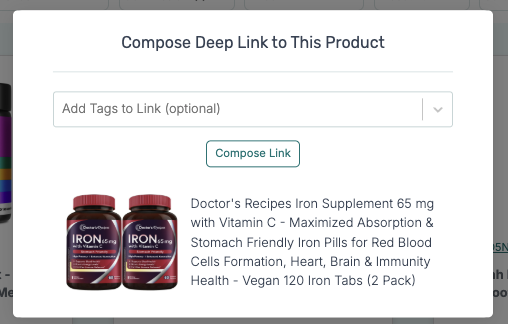
Once you've found a product you want to promote, click Compose Link on that product's card to generate your trackable Marketplace link for it.